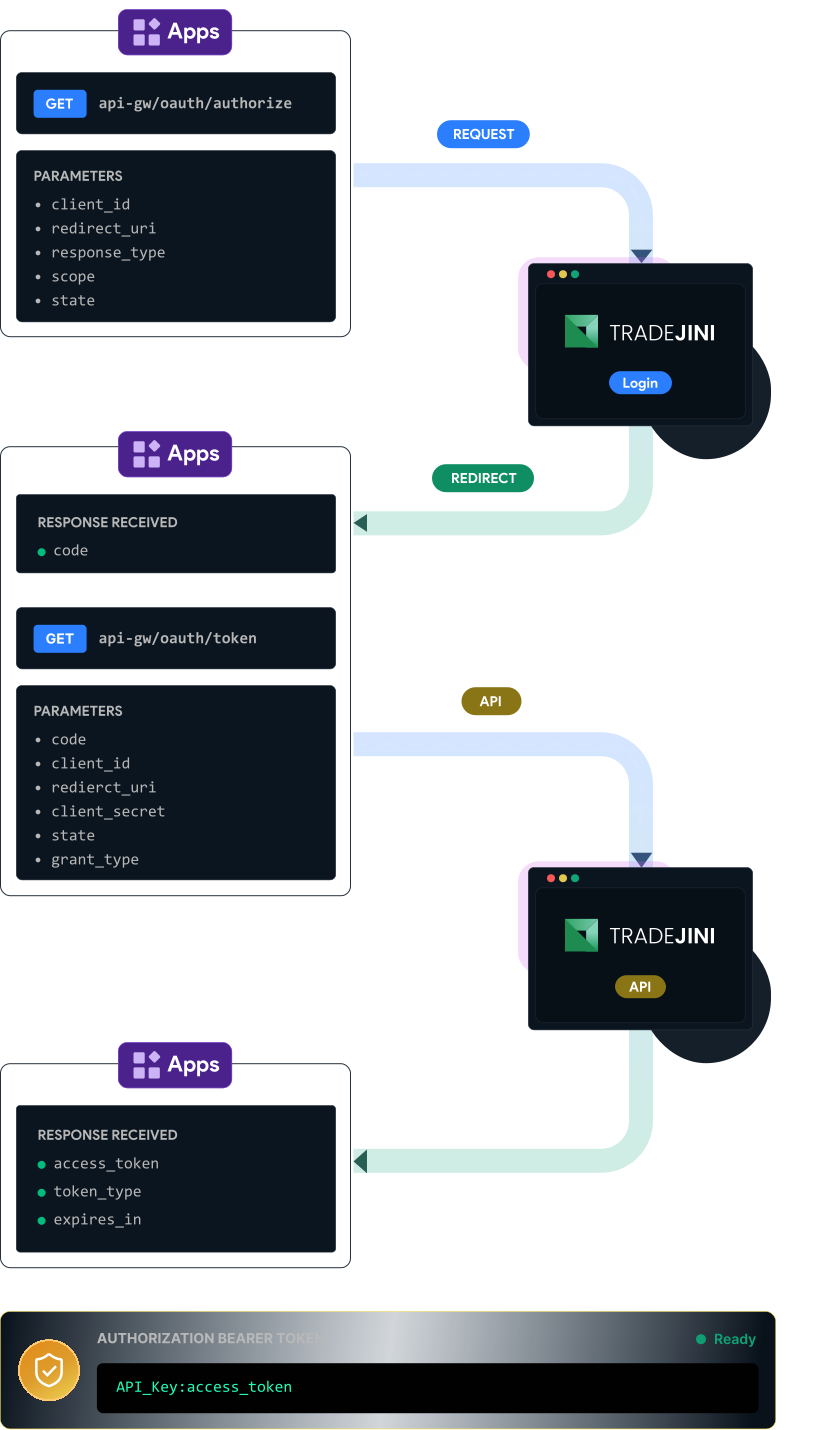
Authorization Flow
User Based Apps
- Invoke
/api-gw/oauth/authorizein a browser or web application. - Pass
client_id,redirect_uri,response_type,scopeandstate. - User will be redirected to the Tradejini CubePlus SSO Login page.
- After successful login, the user is redirected to the configured
redirect_uriwith acode. - Invoke
POST /api-gw/oauth/tokenusingcode,client_id,redirect_uri,client_secretandgrant_type. - On successful authorization, the API returns an
access_token. - Form the authorization token as:
Bearer <API_KEY>:<access_token>. - Use this token for all API request.